Open vSwitch
提供虚拟交换机能力,是 SDN 实验的数据平面基础。
版本:2.16.0
Overview
这套实验环境可以理解为“交换机能力 + 虚拟拓扑 + 控制器”。先安装 Open vSwitch,再安装 Mininet,最后启动 OpenDaylight 并加载功能模块。
提供虚拟交换机能力,是 SDN 实验的数据平面基础。
版本:2.16.0
快速创建主机、交换机、链路和控制器,适合课堂拓扑实验。
来源:Gitee 或 GitHub
SDN 控制器平台,本教程使用 Lithium 版本并安装常用功能模块。
版本:0.3.0 Lithium
Step 01
这一部分完成源码下载、依赖安装、编译配置、安装和启动。示例内核路径使用 5.4.0-84-generic,实际环境可用 uname -r 核对。
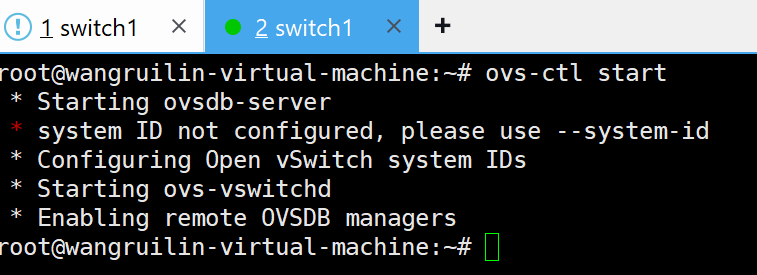
wget https://www.openvswitch.org/releases/openvswitch-2.16.0.tar.gz
tar -xzf openvswitch-2.16.0.tar.gzapt update
apt install -y gcc make build-essential linux-headers-$(uname -r)openvswitch-2.16.0/configure --with-linux=/lib/modules/5.4.0-84-generic/build
make && make install
source /etc/profile/usr/local/share/openvswitch/scripts/ovs-ctl start
# 如果想直接使用 ovs-ctl 命令:
echo 'export PATH=$PATH:/usr/local/share/openvswitch/scripts' >> /etc/profile
source /etc/profile
ovs-ctl starttimedatectl set-ntp false
date -s "2026-06-15 10:55:00"apt update -y
apt install git -y
# 二选一:Gitee
git clone https://gitee.com/Jan16/mininet.git
# 二选一:GitHub
git clone http://github.com/mininet/mininet.gitdir
cd mininet
cd util
chmod +x install.sh
./install.shStep 02
Mininet 安装完成后,运行 mn 可以创建默认拓扑,再用 pingall 验证主机互通。
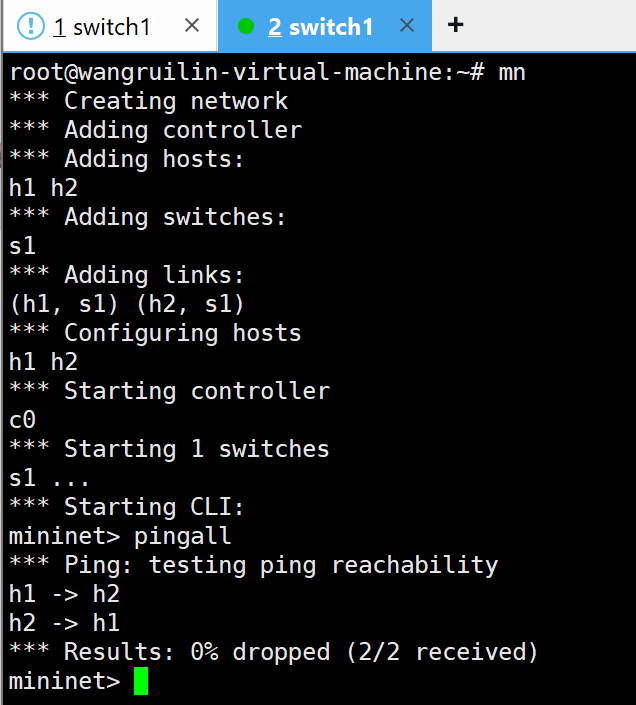
看到 Results: 0% dropped (2/2 received),说明默认拓扑连通性测试通过。
Step 03
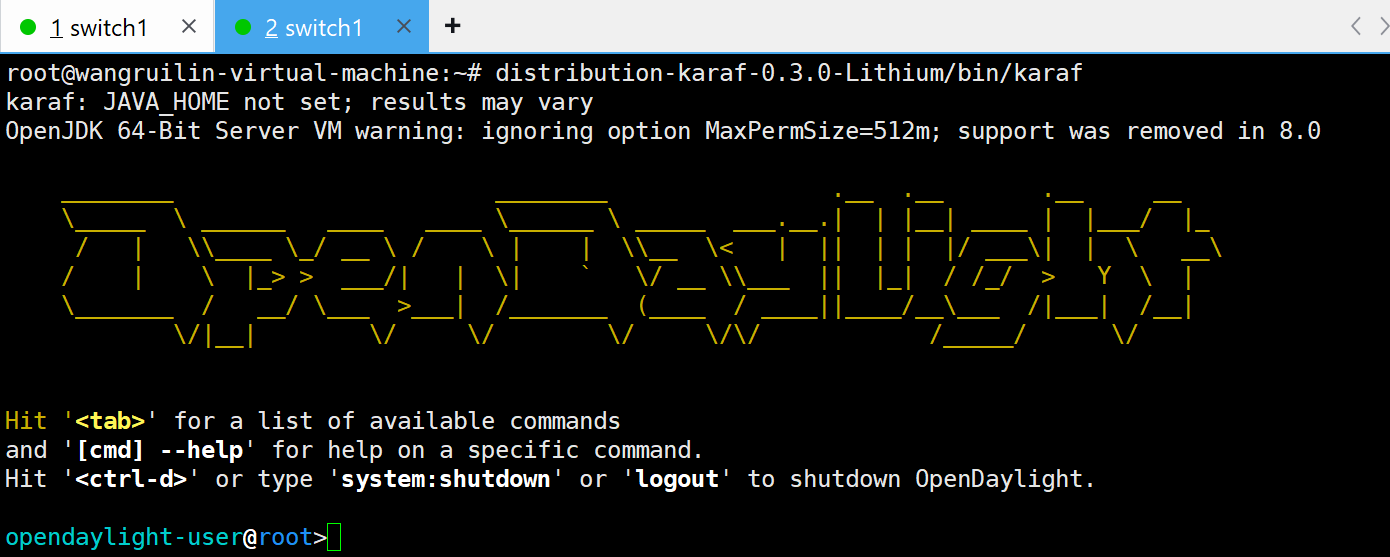
安装 Java 8 运行环境,下载并解压 Lithium 版本,然后进入 Karaf 控制台安装 RESTCONF、L2Switch、OpenFlow 等功能模块。
apt install openjdk-8-jrewget --no-check-certificate https://nexus.opendaylight.org/content/groups/public/org/opendaylight/integration/distribution-karaf/0.3.0-Lithium/distribution-karaf-0.3.0-Lithium.tar.gz
tar -xzf distribution-karaf-0.3.0-Lithium.tar.gz
source /etc/profiledistribution-karaf-0.3.0-Lithium/bin/karaf
feature:install odl-restconf
feature:install odl-l2switch-switch
feature:install odl-openflowplugin-all
feature:install odl-dlux-all
feature:install odl-mdsal-all
feature:install odl-adsal-allCheck
安装教程最怕“命令跑完了但不知道对不对”。这里把三个关键成功标志单独列出来,方便截图提交或课堂检查。
Open vSwitch
终端出现 Starting ovs-vswitchd,随后回到 root 提示符。
Mininet
默认 h1、h2 可以互 ping,结果显示 2/2 received。
OpenDaylight
出现 OpenDaylight 字样和 opendaylight-user@root> 提示符。
你可以直接把这个页面作为安装步骤说明,也可以投屏展示每个阶段的命令和验收截图。